
See the work.
Run the team.
TimeLit shows you exactly how your team's day is spent, keeps accurate records and turns tracked hours into payroll, with a lightweight Windows tracker quietly doing the work in the background.
No self sign-up: send a request and we set up your company's workspace for you.

 Live board · refreshes every 30s
From the first minute of the day to the payslip at month end.
TimeLit replaces the spreadsheet, the "are you working?" messages and the payroll calculator. Every screen on this page is the real app, shown with sample data.
Track
Work time, breaks, projects and tasks, recorded by the desktop tracker or added by hand when you allow it.
See
A dashboard for any date range, a live board of who's working, and each person's day in 10-minute slots.
Pay
Timesheet approvals, time off and monthly payslips calculated straight from tracked time.
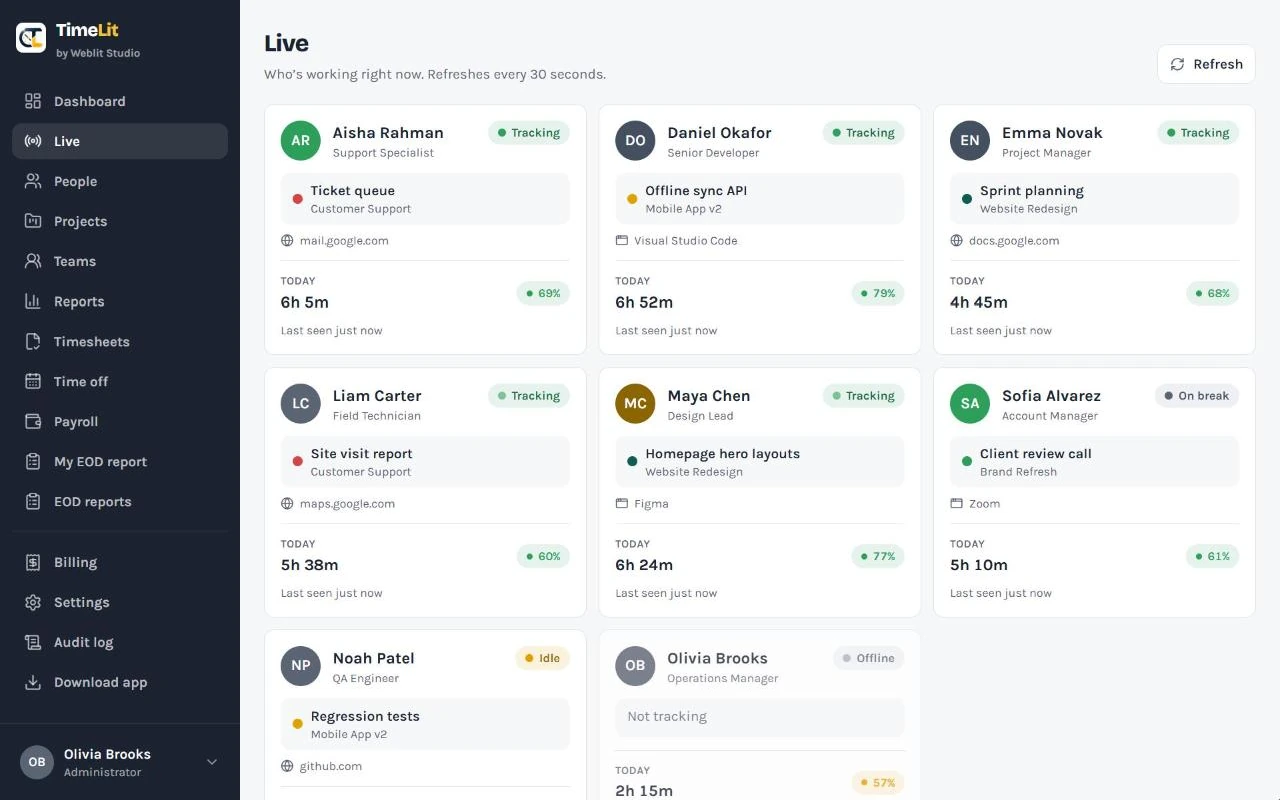
Know who's working this minute.
A real-time board of the whole team. It refreshes on its own every 30 seconds, so you never have to ask for a status update.
- A card per person with a clear status: Tracking, On break, Idle or Offline
- The current task and project, plus the app or website in use
- Today's hours, activity % and when they were last seen
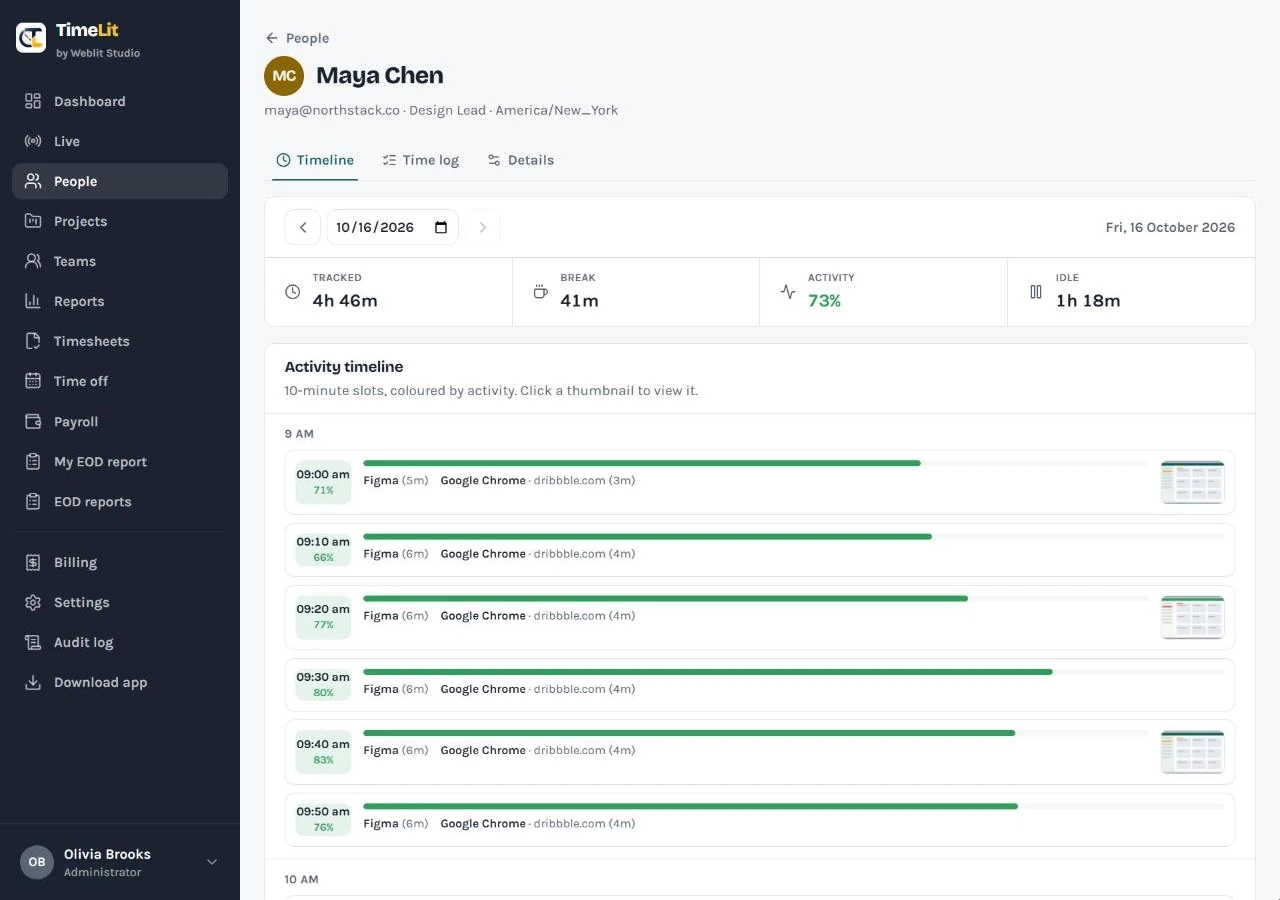
Every workday, in 10-minute slots.
Open anyone's page to see their day the way it actually happened, then check or correct their time in one place.
- Timeline: each 10-minute slot coloured by activity, with the apps used and any screenshots
- Time log: every tracked and manual entry, editable by an admin
- Details: role, time zone, work days, daily hours, pay settings and a profile photo
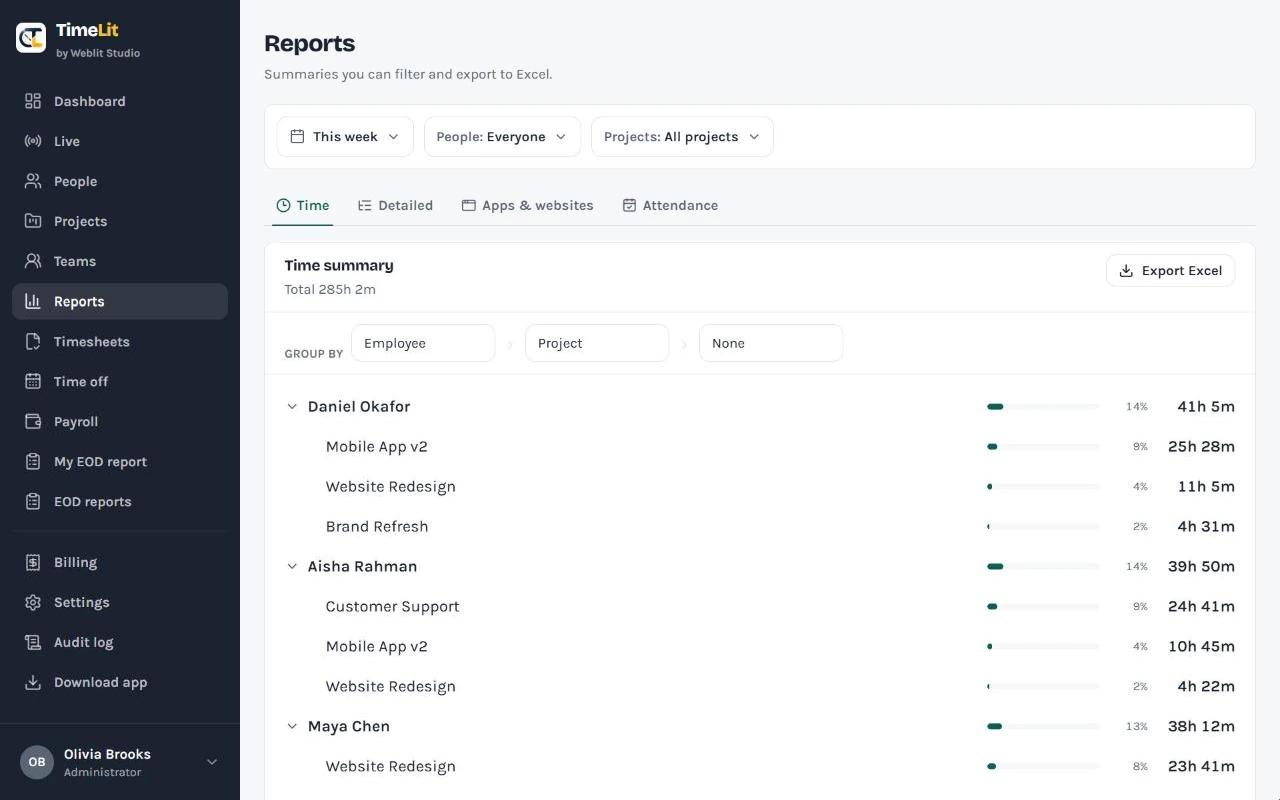
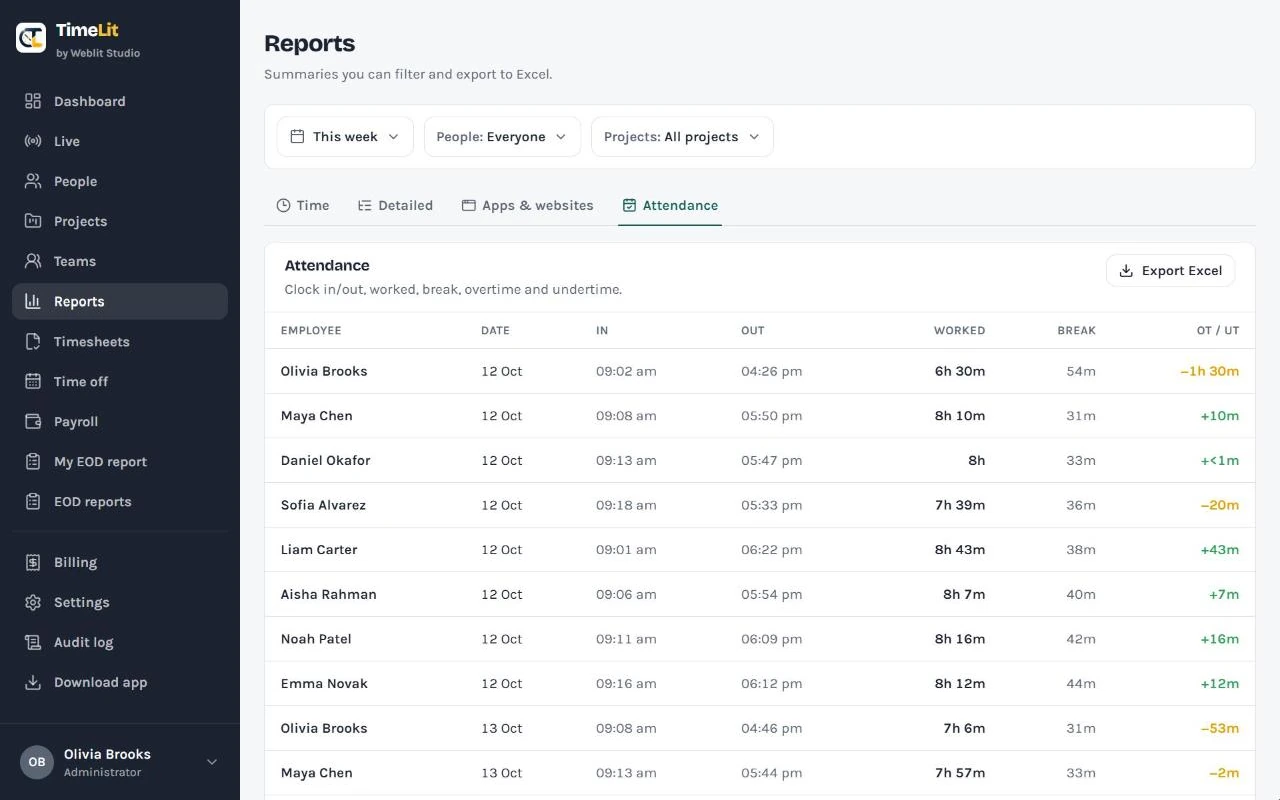
Answers you can download to Excel.
Filter by date range, people and projects for payroll, client invoicing or attendance. Every report downloads as an Excel (.xlsx) file.
- Time: totals grouped by person, project or day
- Detailed: a line for every entry
- Apps & websites: where time went across the team, with a per-site Chrome breakdown when the extension is installed
- Attendance: clock-in and clock-out, worked vs break time, overtime and undertime against each person's schedule
Clean records before anyone gets paid.
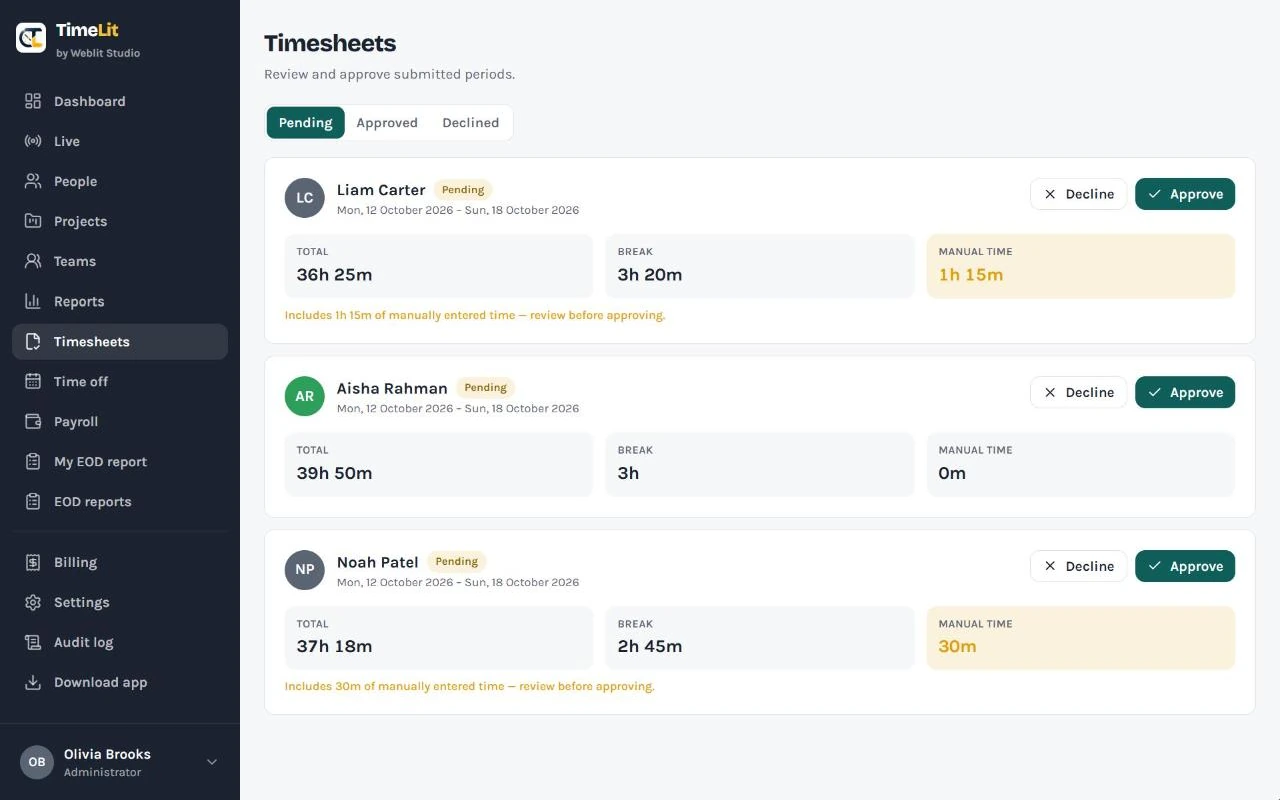
Employees submit their hours for the period. You review them and approve, or decline with a reason.
- Manually entered time is flagged, so you can review it before approving
- Approved time is locked: a clean record for payroll sign-off
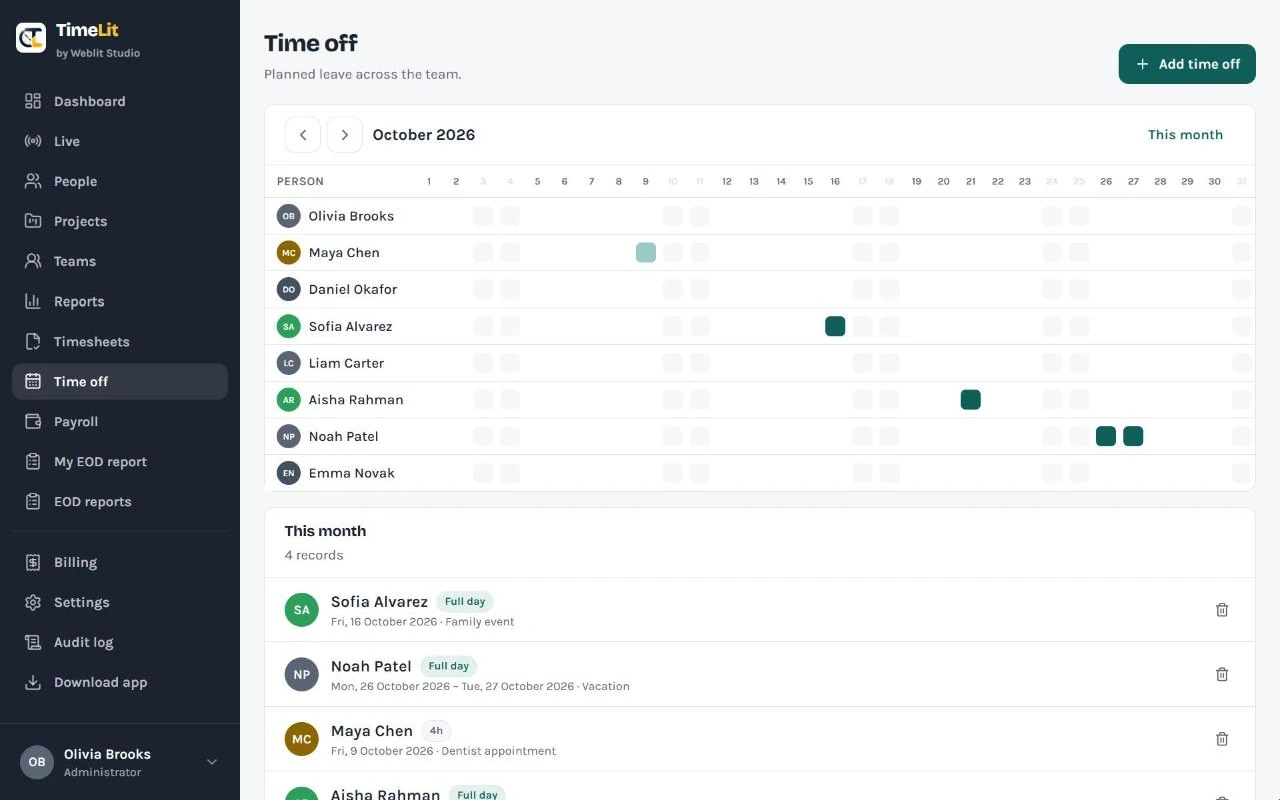
- Record holidays, sick days and partial-day leave on a team calendar
- Time off feeds attendance and keeps payroll accurate
Payslips straight from tracked time.
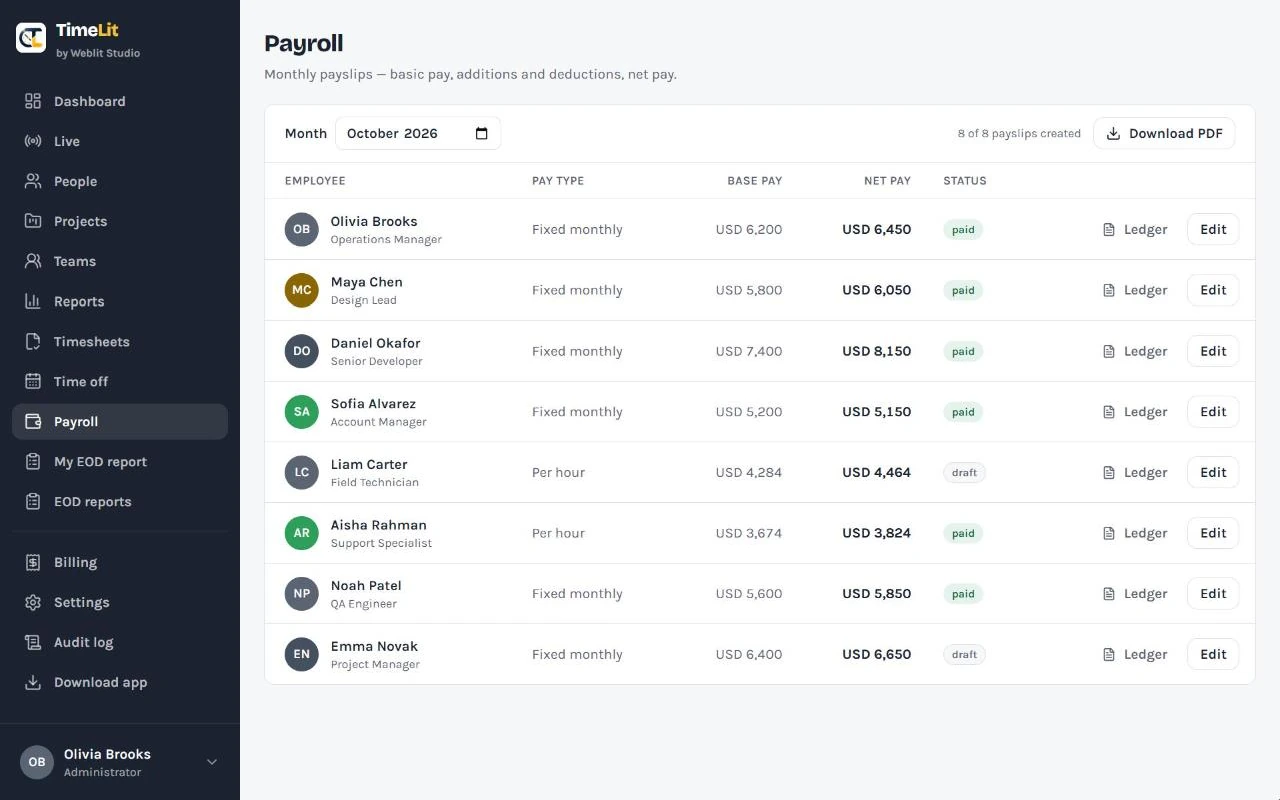
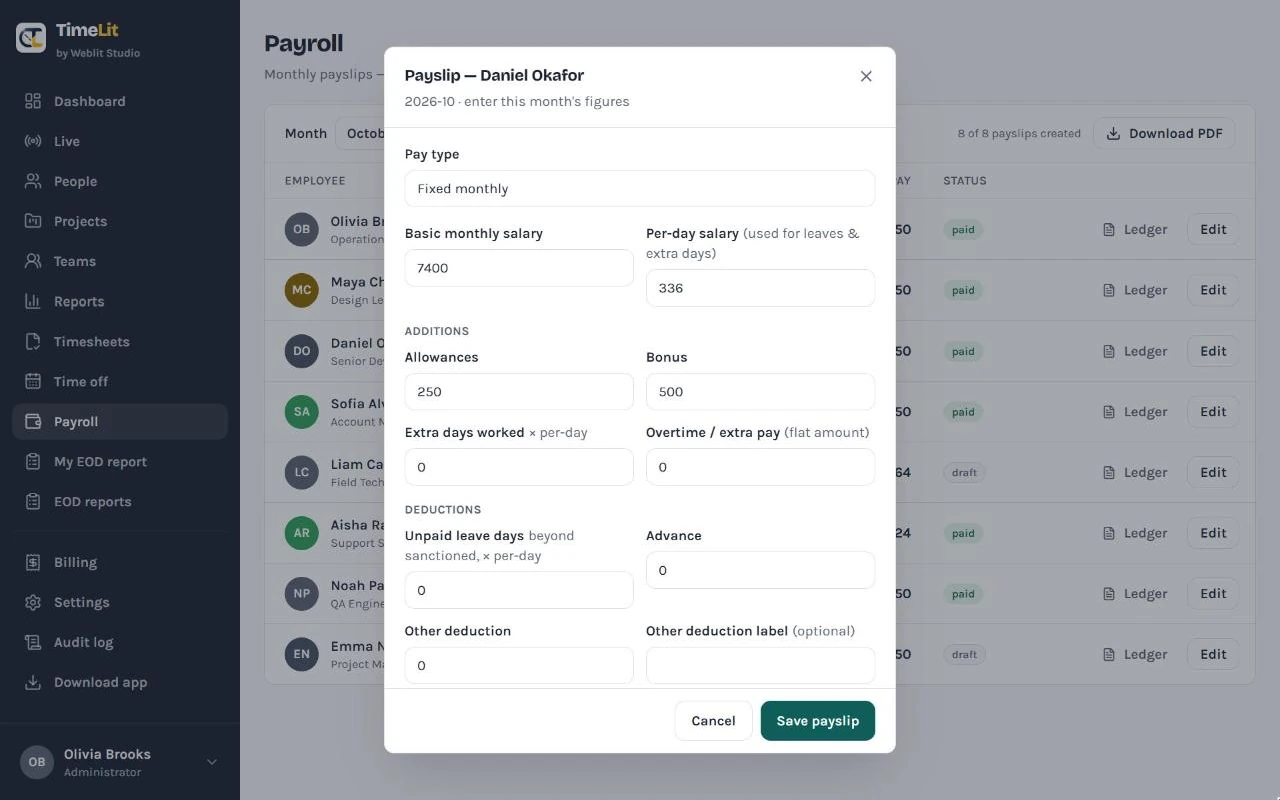
Pay each person a fixed monthly salary, per hour or per day. For hourly and daily staff, the hours and days come straight from TimeLit, and you can add or deduct.
- Allowances, bonus, overtime and extra days; approved unpaid leave and advance recovery pulled in automatically, plus a custom deduction
- Net pay calculated live as you type, in your company's currency
- Record partial payments: any shortfall shows as an outstanding balance
- Download a one-page payroll register, or a per-employee ledger of every month, as PDF
A short note at the end of every day.
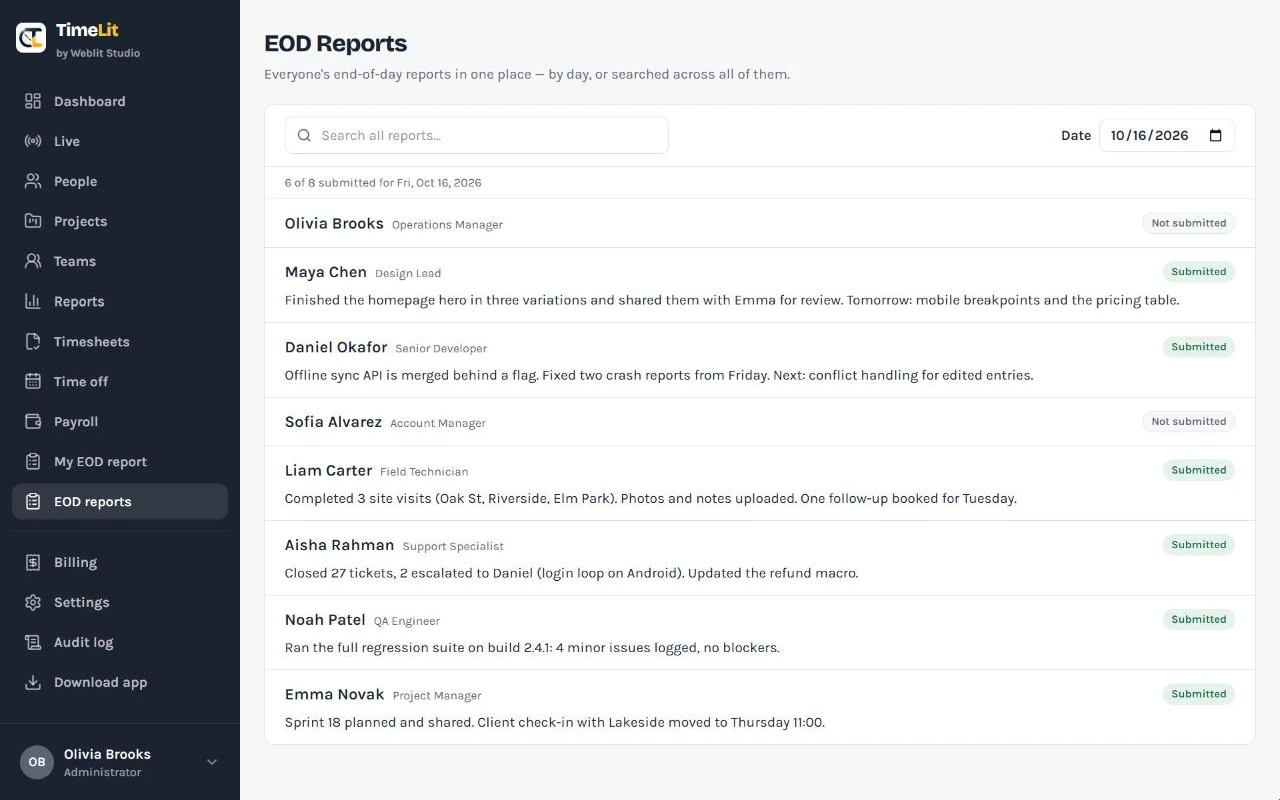
A simple daily habit: everyone writes what they got done, and you read the whole team's reports in one place.
- Browse by date to see who has and hasn't submitted
- Search across every report ever written
- Admins have their own page to submit alongside the team
Leave, advances, web activity and signed onboarding — built in.
The parts most trackers leave to spreadsheets, in the same workspace and feeding the same payroll.
Paid leave
Give each person a monthly or yearly allowance. They apply, you approve or reject and mark it paid or unpaid — paid days draw the allowance, unpaid ones are deducted in payroll using a working-days figure you set. Per-company, with per-employee overrides and opening balances for mid-period joiners.
Salary advances
Approve an advance in full or in part, set a monthly recovery, and TimeLit deducts it each payroll until it's cleared. Multiple advances run together, and you can record ones already outstanding when someone joins.
Web activity in Chrome
An optional Chrome extension shows which sites the team actually uses — domain, page title and time, idle-aware. It sits under Apps & websites and never records page contents, only the address and tab title.
Signed onboarding
Send a new hire their contract or NDA to read and e-sign online, then countersign it yourself — a dated, signed copy kept in TimeLit from day one.
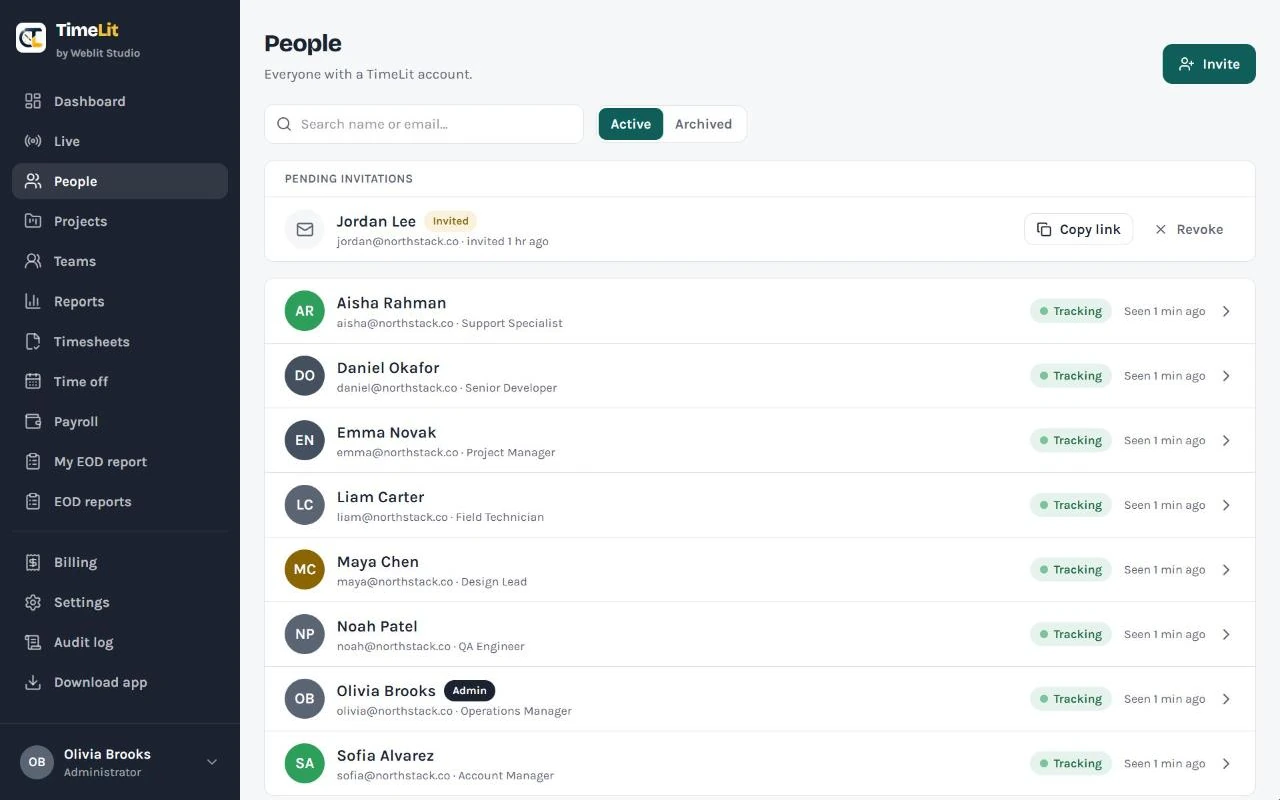
People & invites
Invite teammates by email. Each person sets their own password from a secure link, so you never handle passwords. Archive someone to remove access without losing their history.
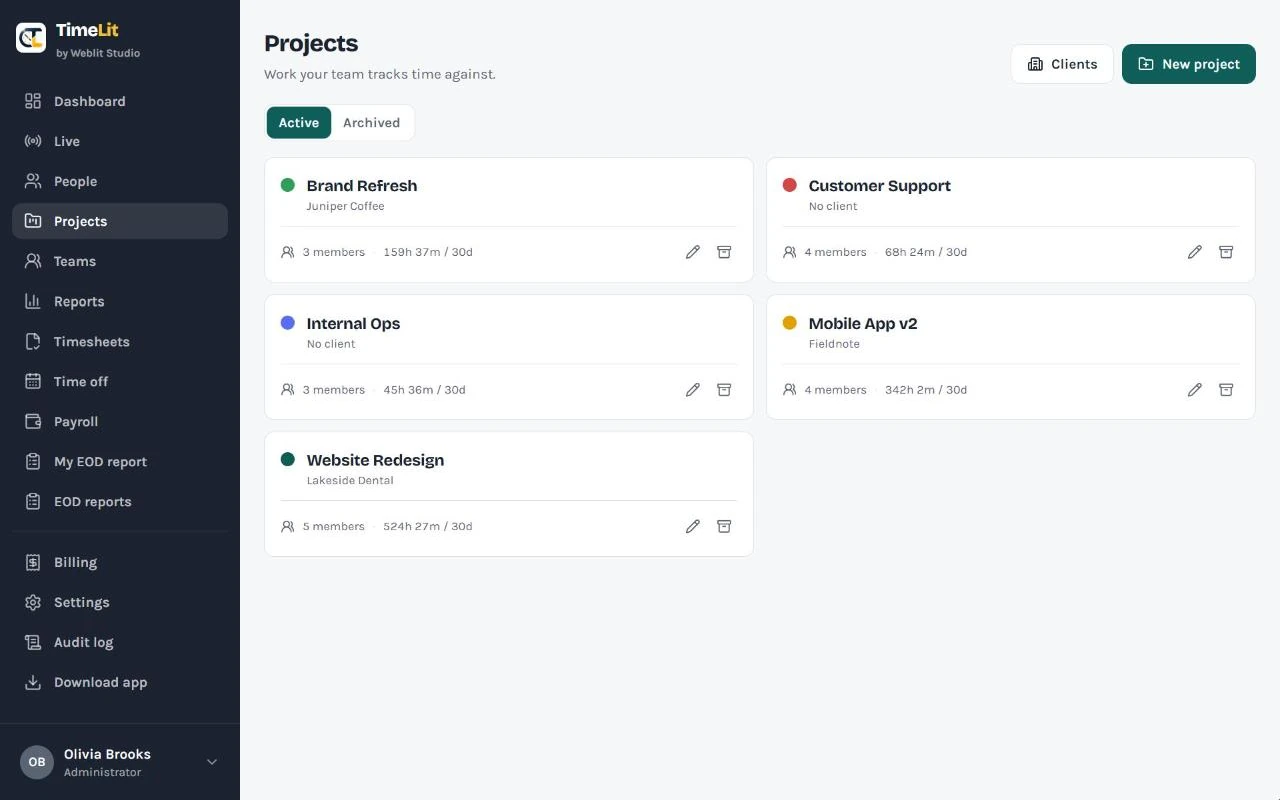
Projects, clients & teams
Give each project a colour, an optional client, notes and members, so time lands against the right job. Group people into teams for cleaner reporting.
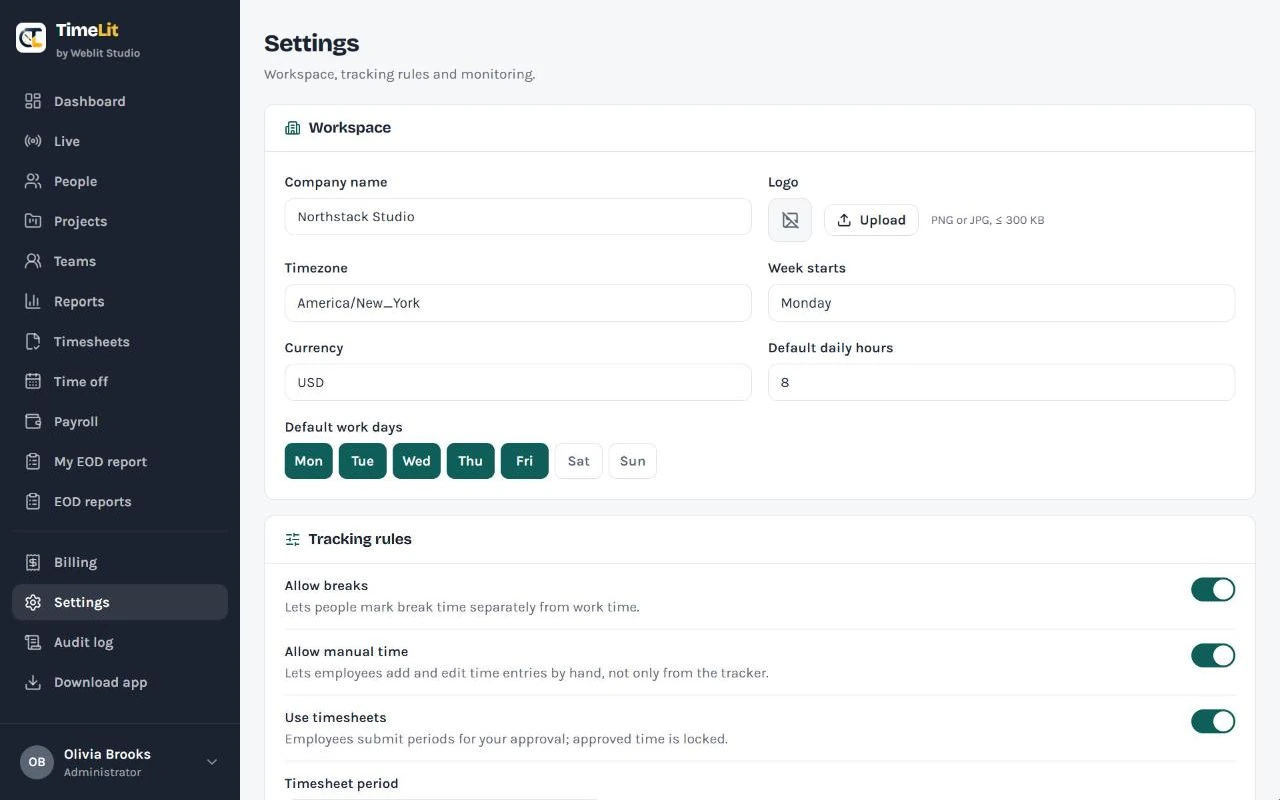
Your rules
Company name and logo, time zone, week start, currency, default work days and hours, plus whether breaks, manual time, timesheets and end-of-day reports are on.
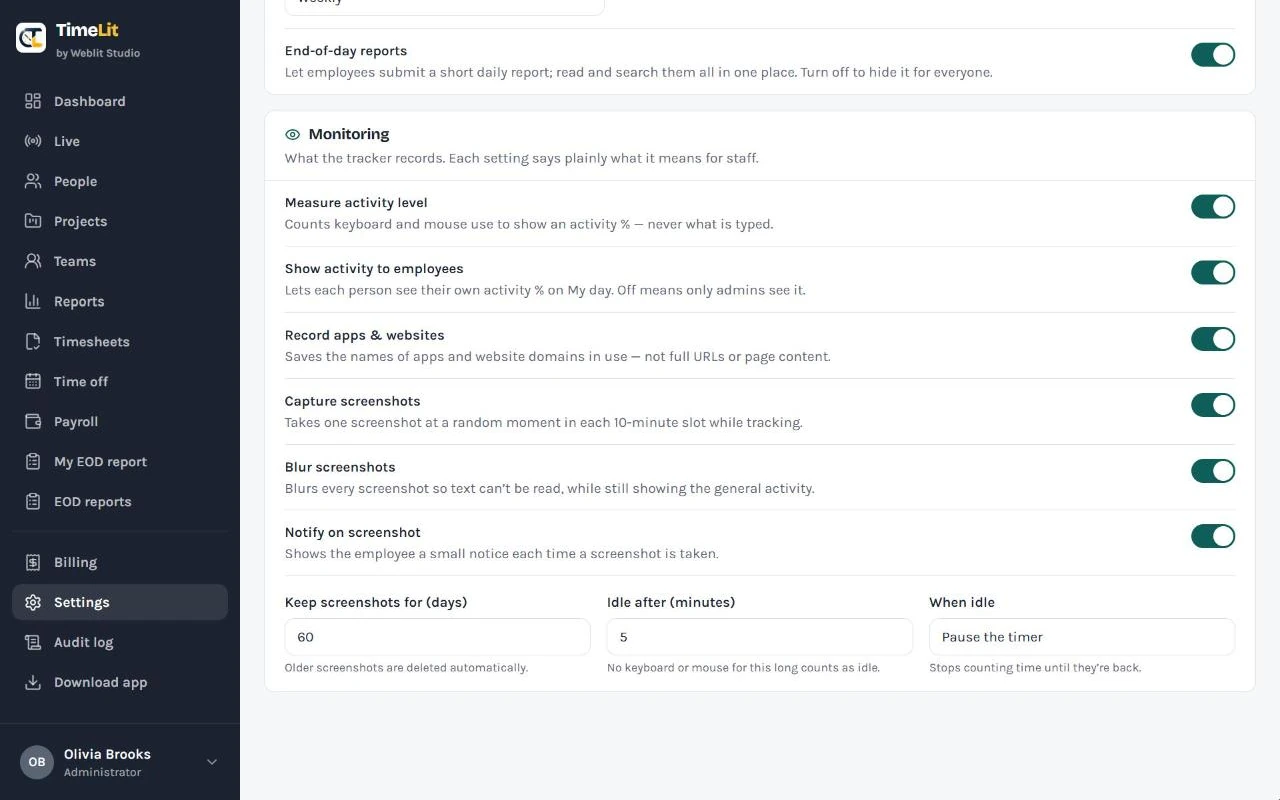
Monitoring you control, that your team can understand.
Turn on only what you need. Every monitoring setting says plainly what it means for staff, and employees can be notified each time a screenshot is taken.
What it can record
- Work time, breaks, project and task
- Activity level from keyboard and mouse use
- Names of apps and website domains
- Screenshots, only if you turn them on
What it never records
- What anyone types
- Full URLs or page content
A focused, friendly view for your team.
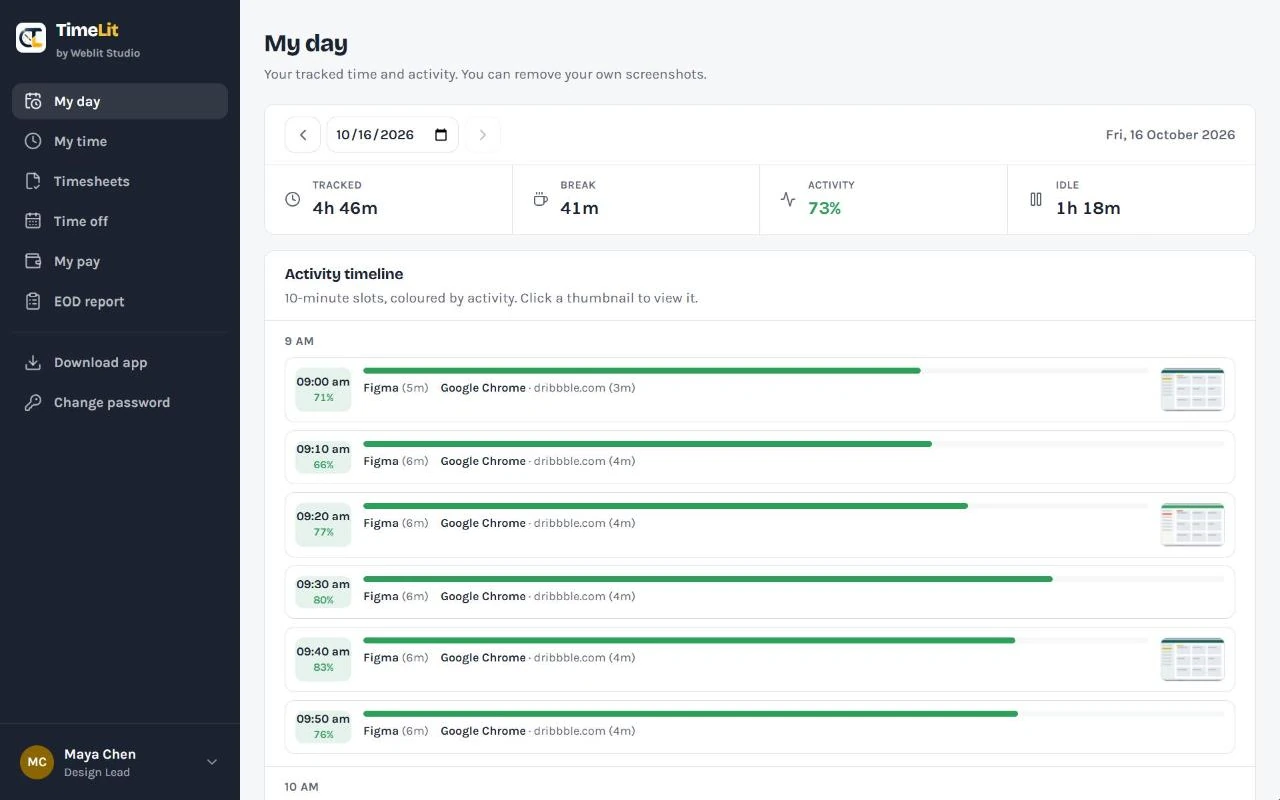
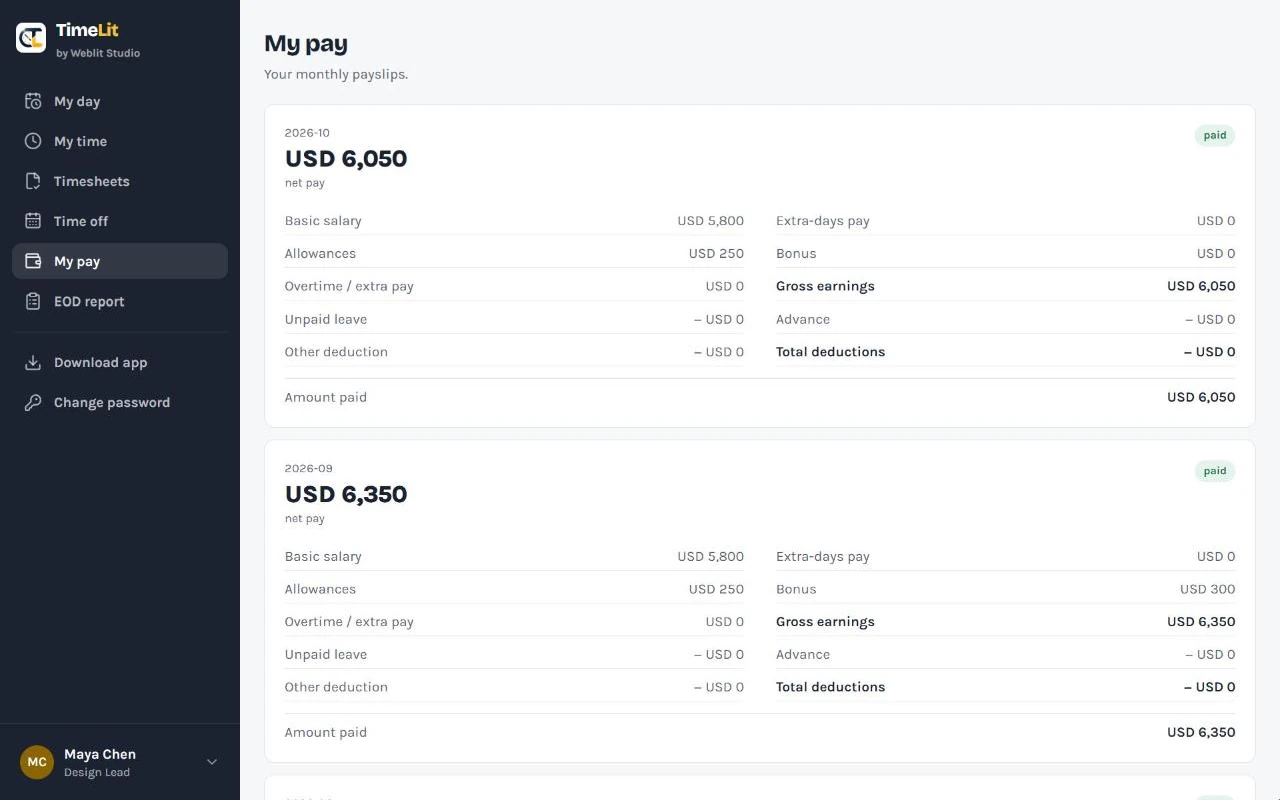
Employees get their own version of TimeLit: just their own work, pay and reports. They never see other people's data or the company's management screens.
- My day: today's tracked time, break, activity and idle, with their own timeline. They can remove their own screenshots.
- My pay: their payslips, including how much was paid and any balance
- Leaves & advances: apply for leave and see the balance; request an advance and track what's outstanding
- Timesheets, time off and EOD report in a few clicks
Quietly does the work in the background.
A lightweight native Windows app that runs in its own window and the system tray, not a browser tab. Employees sign in once with their email and password, then pick a project and start.
TimeLit.exeTime is tied to a project and task as it's tracked.
Keyboard and mouse activity, plus the active app or website name.
Only when you turn them on, and they can be blurred.
Keeps going in the background and survives sign-outs and restarts.
Everything appears in the web dashboard without anyone pressing a button.
Windows 10 or 11 (64-bit). Installs just for the user, no admin rights needed.
A locked screen isn't counted as active time and takes no screenshot; it resumes on its own when unlocked.
Can launch when the employee signs in — you choose whether it just opens or starts tracking automatically.
Four steps to your first tracked day.
Request a trial
Tell us about your team with the form below.
We set you up
We create your company's private workspace and your admin login.
Invite your team
Add people by email. Each one sets their own password.
Install & track
Everyone installs the Windows tracker and starts their day.
There's no public sign-up page. Every workspace is created by our team on request, so each company starts clean, private and set up properly.
Simple, per-user pricing.
Every feature is included. Try it free for 14 days, then keep it hosted by us or run it on your own server.
Hosted
We run TimeLit for you. Nothing to maintain.
Every account counts, employees and admins. Billed monthly.
- Live board, timelines and activity
- Reports with Excel export
- Timesheets, time off and EOD reports
- Payroll with PDF register and ledgers
- Windows desktop tracker for everyone
- Your own private company workspace
Self-hosted
TimeLit installed on your own server.
Quote on request, based on your team and server.
- Every TimeLit feature
- Runs on your own server
- Your data stays on your infrastructure
- We handle the installation and setup
- Good fit for strict data-privacy rules
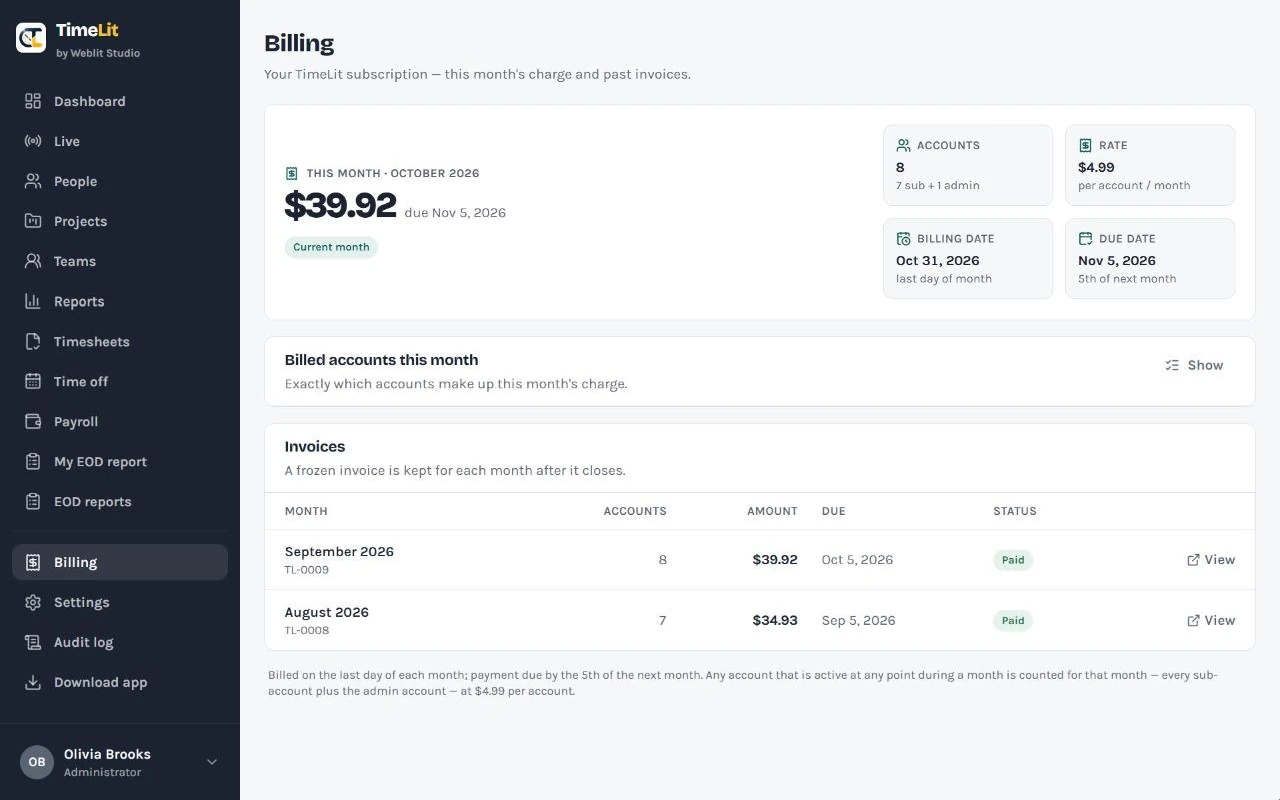
No surprises on the bill
The Billing page in TimeLit shows this month's charge, how it's calculated, which accounts are counted and a frozen invoice for every closed month. Billing happens on the last day of the month, with payment due by the 5th.
Questions, answered.
How do I get an account?
Send a request with the form below. We create your company's workspace and your admin login, then you invite your team by email from inside TimeLit. Employees can't sign up on their own.
How does the free trial work?
You get 14 days with every feature. We set up your workspace, you invite your team and install the tracker. When the trial ends, you can continue on the hosted plan, ask about self-hosting, or simply stop.
What does it cost after the trial?
The hosted plan is $4.99 per user per month. Every account that's active during the month counts, employees and admins alike. You can see exactly what you'll pay on the Billing page. Self-hosting is a one-time setup, quoted on request.
Does it work on Mac?
The web dashboard works in any browser on any computer. The desktop tracker is a Windows app (Windows 10 or 11, 64-bit).
Do we have to take screenshots?
No. Screenshots only happen if an admin turns them on. You can blur them so text can't be read, notify employees each time one is taken, and choose how many days they're kept. Employees can remove their own screenshots from My day.
Can employees see their own data?
Yes. Each employee has their own view with My day, My time, timesheets, time off, payslips and their EOD report. You decide whether they can see their own activity percentage.
Can we keep our data on our own server?
Yes. With the self-hosted option, TimeLit runs on your own server and your data stays on your infrastructure.
Can I export my data?
Every report downloads as an Excel (.xlsx) file, and payroll downloads as a PDF register or per-employee ledger.
I forgot my password. What do I do?
Use "Forgot password" on the TimeLit login page and we'll email you a reset link. You never need to ask your admin for a new password.
Let's set up your workspace.
Send a request and we'll create your company's TimeLit workspace and help you get started. Have a question, need a demo or want a self-hosted quote? Use the same form.
Thanks, we've got it!
We'll reply by email soon to set up your workspace.